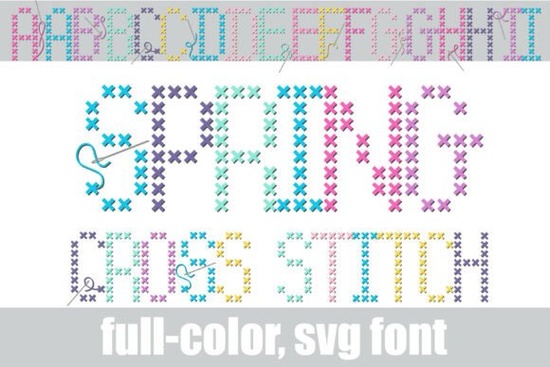
If you're searching for a font that captures the hand-stitched look of real embroidery, the Spring Cross Stitch Font is exactly that. This full‑color SVG typeface recreates the classic “X” stitch pattern from cross‑stitch samplers, using a fresh spring palette of turquoise, lavender, pink, and yellow. Some characters even include tiny needles and trailing threads, so the lettering looks like a work‑in‑progress straight from a needlework hoop. Whether you’re making DIY craft flyers, boutique stationery, or nostalgic home decor designs, this font brings genuine warmth and texture to your digital projects.
How does a cross stitch SVG font actually work?
Unlike standard fonts that only let you change colour, SVG fonts contain full vector graphics inside each character. This means the "X" stitches, thread details, and needle accents are all built right into the letterforms. You can scale the font up or down without losing any crispness, and because it’s a font file, simply typing automatically places those tiny stitches into perfect lines. No need to manually arrange individual stitch elements – just type your message and you get a realistic cross‑stitch effect in seconds.
The spring colour palette is embedded in the design itself, so each letter appears with the same turquoise, lavender, pink, and yellow threads. If you want to change colours, you would need to ungroup the SVG and recolor the threads in your design software – but most crafters love the colour harmony as it is.
What makes this different from other embroidery fonts?
Most embroidery or "stitch" fonts are simple line drawings that mimic a single colour thread. This one goes further by including overlapping thread paths, visible needle holes, and the slight randomness you’d see in real hand embroidery. The Spring Cross Stitch Font also uses full SVG colouring, so each letter already features multiple thread colours. That saves you a ton of time when you’re working on a craft project or a print‑on‑demand design because you don’t have to colour each letter separately.
Another small but thoughtful detail: the font includes integrated needles and trailing threads on several characters (like the first and last letters of a word). This design choice makes the whole phrase look like it’s still being stitched – perfect for hobbyist branding or workshop flyers where you want that “handmade” feel.
Who should use a colorful cross stitch font?
- Print‑on‑demand sellers – Add a handcrafted touch to mugs, tote bags, or throw pillows without hiring an embroiderer.
- DIY craft workshop owners – Use it on flyers and social media graphics to immediately say “this is a hands‑on, creative class.”
- Small business stationery designers – Wedding invitations, thank‑you notes, or recipe cards get an instant vintage craft vibe.
- Hobbyist bloggers and Etsy sellers – Even if you don’t sell physical products, using this font in your logos or banners sets you apart from generic Sans Serif designs.
Because the font comes as a full SVG typeface, it works beautifully in design programs like Adobe Illustrator, Affinity Designer, and even Canva (if you upload the SVG font or use the individual glyphs).
Can I use this font for home decor or digital scrapbooking?
Absolutely. The nostalgic cross‑stitch look is hugely popular for farmhouse‑style wall art, kitchen signs, and baby nurseries. You can create printable art that looks like an embroidered sampler, or use the font in scrapbooking templates to give journaling a stitched texture. The spring colour palette works especially well for Easter, garden‑themed designs, or anything with a light, airy feel.
If you prefer a more minimal, single‑colour look, you might also like the Melon Precious Font – another colorful SVG typeface with a different playful style. But for true needlework charm, Spring Cross Stitch is the one that actually looks like thread on fabric.
What software do I need to use an SVG font?
SVG fonts are supported in Adobe Illustrator, Photoshop, Affinity Publisher, InDesign, and many other vector‑based apps. Some web design tools also support them. Before you buy, double‑check that your main design software can handle OpenType‑SVG fonts (most recent versions do). If you’re unsure, you can also use the individual SVG files that come with the font – just drag and drop the character vector files onto your canvas and arrange them manually.
Practical checklist before you download
- Confirm your design software supports OpenType-SVG fonts (Adobe CC, Affinity, CorelDraw).
- Think about whether the fixed spring colour palette works with your brand or project colours – if you need full colour control, you’ll need to ungroup and recolor.
- Plan your text: because of the decorative needles and threads, keep phrases short (one line works best).
- Test the font on a mockup (e.g., a pillow or T‑shirt) to see how the small “X” details scale – at very small sizes the stitches may blur, so use it for medium to large text.
If you’re ready to add a tactile, handmade feel to your next design, the Spring Cross Stitch Font is a creative tool that goes beyond ordinary typography. Type a word, and see it come to life like a real embroidery hoop.
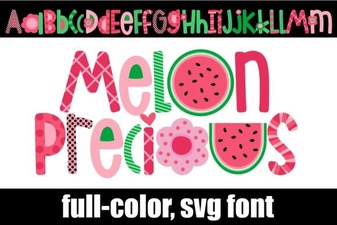 Melon Precious Font: Elegant Designs & Creative Ideas
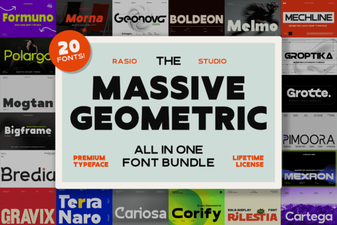 Boost Your Designs with Geometric Font Bundles
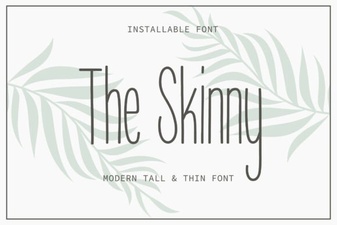 The Skinny Font: Lightweight Designs & Creative Uses
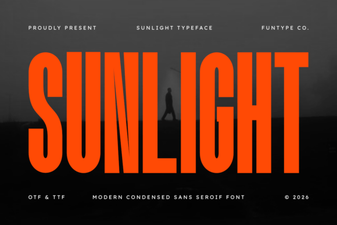 Sunlight Font: Brightening Designs with Warm Typography
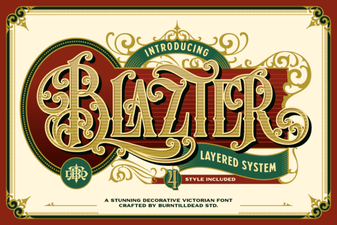 Blazter Font: Design Impact & Creative Usage
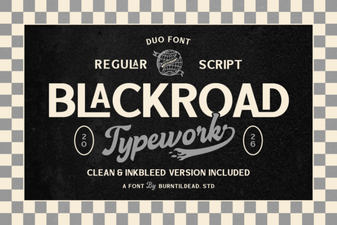 Blackroad: the Designer's Modern Sans-Serif Font