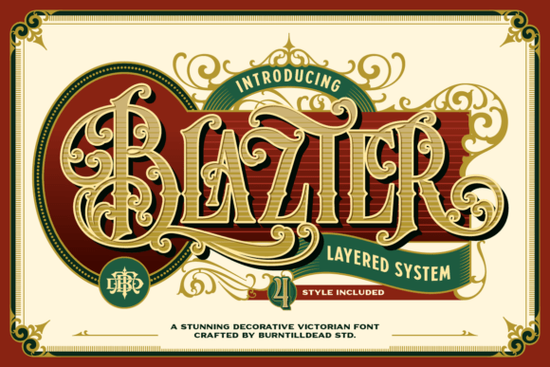
If you are working on a project that calls for classic elegance and vintage flair, Blazter Font is a strong candidate. This decorative Victorian typeface draws from 19th‑century typography to deliver ornate swashes, intricate details, and a clever layered system. It gives you the control to build typography that feels both historical and fresh – think gold‑engraved labels, heritage branding, or luxury packaging.
How does the layered system work in practice?
The layered system is Blazter’s standout feature. Instead of a single flat letter, you get multiple layers that stack to create depth, shadow, and texture. You can use the base layer on its own for a clean vintage look, or add ornamental overlays to make the text pop. This approach is similar to what you find in other decorative fonts with shading and inline details, such as Birch Font or Shark Font, but Blazter leans harder into Victorian ornamentation.
In practice, you can adjust the colours of each layer separately. This means you can simulate metal engraving (gold over dark brown), chalkboard lettering (white over black), or even a multi‑tone print effect. The layers are well‑aligned, so you won’t spend hours tweaking spacing.
What kind of projects benefit most from Blazter?
Because of its strong personality, Blazter works best when you want the text itself to be the focal point. Here are a few specific uses:
- Product labels and packaging for wine, craft beer, coffee, or premium food items – the vintage look builds trust and suggests quality.
- Logos and branding for heritage‑themed businesses (pubs, barbershops, antique stores).
- Posters and invitations for weddings, anniversaries, or formal events where elegance is expected.
- Print‑on‑demand merchandise like T‑shirts, mugs, or tote bags that need a classic, statement‑making wordmark.
If your project leans modern or minimal, Blazter might feel too ornate – but for anything that needs a bold vintage stamp, it’s a perfect fit.
Can I combine Blazter with other decorative fonts?
Absolutely. Many designers pair a heavy decorative font like Blazter with a simpler sans‑serif for body text. For instance, you could use Aruna Font (a clean geometric sans) for smaller details and let Blazter handle the headlines. Another option is Paulette Font, a script that can add a handcrafted feel alongside Blazter’s structural forms.
When mixing fonts, keep an eye on the mood: all three should share a similar level of formality or informality. Blazter is quite formal and elaborate, so stick with partners that don’t feel too casual.
What about readability and sizing?
Blazter’s decorative nature means it’s not ideal for long paragraphs – save it for short phrases, titles, or single words. The smallest size where it remains legible depends on the layer you use. The base layer alone can be used down to about 18–20 points for display purposes, but if you add the ornamental overlay, you may need to go bigger (24‑30 points) to keep the details clear.
For print‑on‑demand sellers, test your design at actual production scale. A small mug or sticker might lose the finer swashes, while a large poster will show everything beautifully.
How to get started with Blazter today
- Download the font from Creative Fabrica (check the commercial license to cover POD or branding).
- Open your design software (Canva, Photoshop, Illustrator, Affinity, etc.) and install the font files.
- Experiment with the layers: type your word, duplicate the text box, and assign the different layer styles (shadow, inline, ornament).
- Adjust colours to match your brand – gold and dark navy is a classic Victorian combo, but muted pastels also work for a softer look.
- Test readability at the size you plan to use, and show your design to someone who hasn’t seen it before to make sure the message is clear.
If you already work with vintage or decorative fonts, Blazter will feel familiar but rewarding. For a deeper look at similar options, check our hands‑on notes on this typeface or browse other ornate styles like those available in woodcut‑inspired designs and bold display fonts. And if you want to round out your collection, the geometric versatility of Aruna and the script elegance of Paulette make great companions.
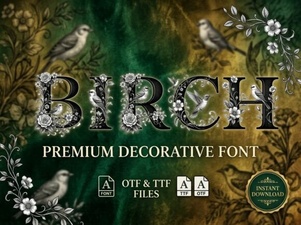 Birch Font: a Modern Touch to Your Design Projects
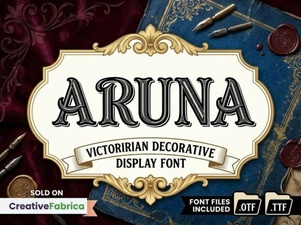 Aruna Font: Creative Free Display Font Design
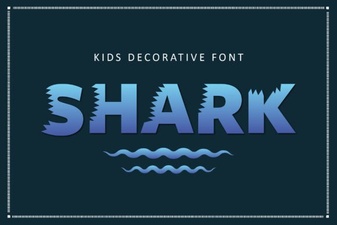 Shark Font: a Sharp Typeface for Modern Designs
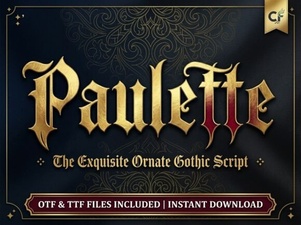 Introducing the Paulette Font for Creative Projects
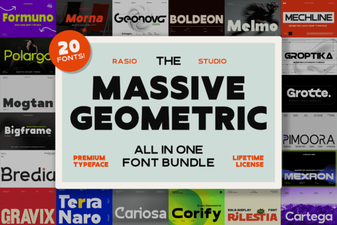 Boost Your Designs with Geometric Font Bundles
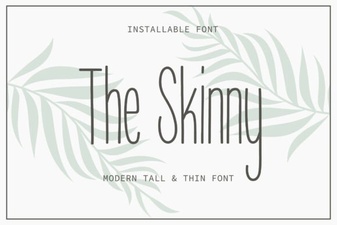 The Skinny Font: Lightweight Designs & Creative Uses