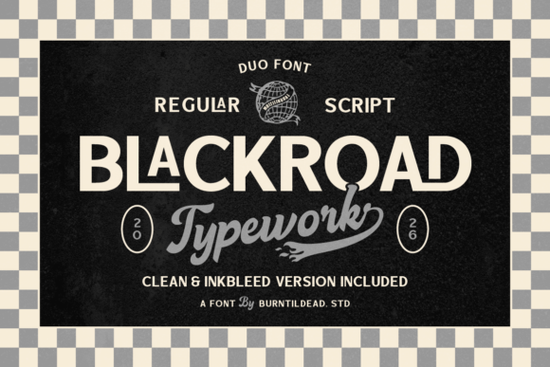
If you're looking for a typeface that balances clean readability with vintage character, Blackroad Font is worth a closer look. It pairs a crisp sans serif with a smooth, hand-drawn script, giving you two distinct styles in one package. That combination makes it easier to create contrast in your designs without juggling multiple font families.
What makes Blackroad different from other sans-serif fonts?
Most sans-serif fonts stick to one style. Blackroad gives you two. The regular side is a bold, clean sans serif that stays readable at small sizes. The script side adds a vintage, handmade feel that looks like it came from an old print shop. Together, they let you mix modern structure with retro warmth.
The font also includes inkbleed versions and alternate characters. Inkbleed mimics the slight ink spread you'd get from letterpress printing. It's a small detail, but it makes a big difference when you're going for an aged, authentic look. If you've worked with Grityle Font and liked its rugged feel, you'll appreciate the similar attention to texture here.
How can I use Blackroad for print-on-demand and branding?
This font works well for t-shirt graphics, poster designs, and label artwork. The bold sans serif is strong enough to hold its own on a hoodie or tote bag, while the script adds a handcrafted touch that customers often associate with small-batch quality.
For branding, try using the sans serif for headlines and the script for taglines or accent words. That contrast draws the eye and makes your message stick. If you're building a brand identity for a coffee shop, barbershop, or outdoor gear company, the vintage personality of Blackroad fits right in. Pair it with Sunlight Font for a lighter, more open companion that balances the boldness.
Does Blackroad work well in digital and print projects?
Yes, and here's why that matters. Many fonts that look great on screen fall apart in print, especially when you use ink bleed effects. Blackroad was designed with both in mind. The inkbleed alternates give you that vintage print look without causing readability issues on screen. In print, they add just enough texture to feel authentic.
For digital use, the clean sans serif keeps body text legible on mobile devices and desktop screens. The script works well for short headings or callout text. Just avoid using the script for long paragraphs, and you'll be fine.
If you're working on a larger project that needs multiple weights and styles, check out the Massive Geometric Bundle. It's a collection that gives you more variety while keeping a consistent design language.
What kind of projects benefit most from this duo font?
- Apparel and merch: T-shirts, hats, and hoodies with bold slogans or retro logos.
- Packaging and labels: Coffee bags, soap boxes, or craft beer cans that need a rugged, handcrafted look.
- Posters and flyers: Event promos or sale announcements that need to stand out fast.
- Social media graphics: Short quotes or product highlights with a vintage feel.
The alternate characters give you room to customize. Swap out standard letters for inkbleed versions when you want that worn-in texture. Use the script for a more personal, handwritten vibe. That flexibility saves time because you don't have to hunt for extra decorative elements.
Do I need design experience to use Blackroad effectively?
Not really. The pairing between the sans serif and script is already balanced, so you can drop them into a design and get good results quickly. If you're just starting out, try using the sans serif for your main message and the script for a secondary line. Keep your layout simple, and let the font do the work.
More experienced designers can dig into the alternates and inkbleed options to fine-tune the texture. The font gives you enough control to match different printing methods, from digital print to screen printing. You can also explore related styles by visiting other bold sans-serif options if you need more variety.
For clean, modern alternatives that pair well with vintage elements, lighter sans-serif choices can give you a softer contrast. And if you're building a full design system, bundled geometric font sets offer more weights and styles to work with.
Quick tip to get started with Blackroad today
- Download the font and install it on your system.
- Open your design tool and type a short phrase in the sans serif style.
- Duplicate the text layer and switch the second line to the script style.
- Try the inkbleed alternates on the script text for a vintage finish.
- Adjust kerning and spacing until the two styles feel balanced.
That's it. You'll have a professional-looking design in minutes. For more details on the full character set and available alternates, visit the complete font page.
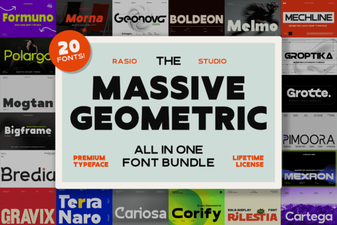 Boost Your Designs with Geometric Font Bundles
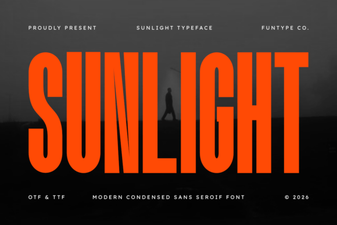 Sunlight Font: Brightening Designs with Warm Typography
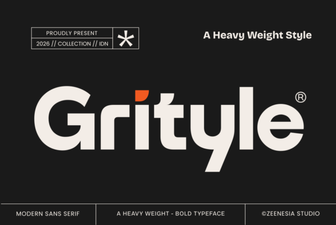 Grityle Font: Design Ideas & Creative Uses
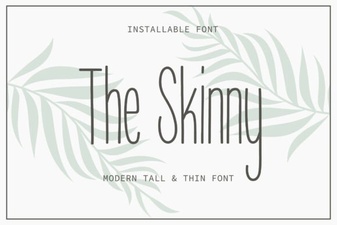 The Skinny Font: Lightweight Designs & Creative Uses
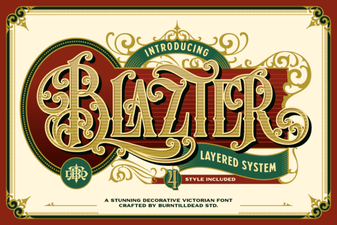 Blazter Font: Design Impact & Creative Usage
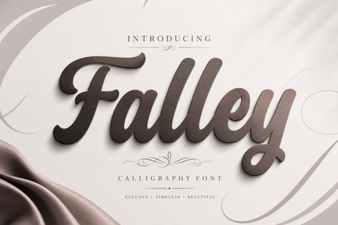 Falley Font: a Creative Typeface for Modern Design