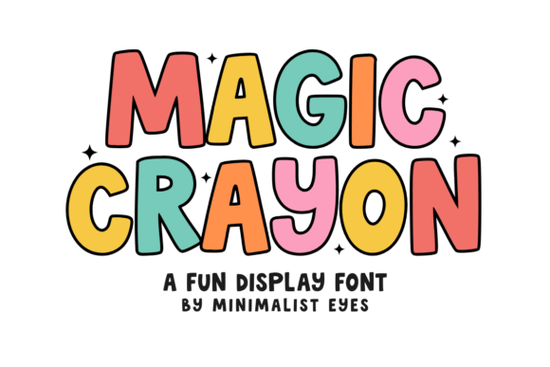
If you're crafting with a Cricut or Silhouette and want a font that instantly brings back the feel of childhood coloring books, Magic Crayon Font is exactly the playful, bubbly display typeface you need. Its thick, rounded edges and hand-drawn look make it perfect for birthday invitations, school posters, nursery decor, t-shirts, and social media graphics that need a friendly, energetic vibe. Whether you’re a print-on-demand seller or a hobbyist, this font adds that nostalgic touch without looking overly childish.
What makes Magic Crayon different from other display fonts?
Most display fonts lean either toward sleek modern or rough vintage. Magic Crayon sits in a sweet spot: it’s bold enough to read easily at small sizes, yet soft and inviting. The uneven, crayon-like strokes give each letter a handmade quality that stands out on digital screens and physical products alike. It works especially well for:
- School projects – classroom labels, reading charts, or end-of-year thank-you cards
- Nursery or kids’ room decor – name signs, growth charts, or wall art
- Party printables – cupcake toppers, banners, and invites
- T-shirt designs – especially for family reunions or playful quotes
- Social media posts – Instagram stories or Reels with a cheerful headline
Is Magic Crayon easy to use with Cricut Design Space or Silhouette Studio?
Yes. Because it’s a standard .otf or .ttf font, you install it like any other typeface. In Cricut Design Space, simply select the text tool, choose Magic Crayon from your font list, and type away. The thick strokes mean you rarely need extra offset layers for vinyl projects the letters hold together well even when cut small. For layered designs, you can weld the letters and add a shadow layer underneath for a pop effect.
If you work with print-on-demand platforms like Printful or Teespring, Magic Crayon also renders cleanly on mockups, so your customers see the same playful look you designed.
What other hand-drawn fonts pair well with Magic Crayon?
Combining Magic Crayon with a complementary script or sans-serif can add contrast. Here are a few options from Creative Fabrica that work nicely:
- Joshua Font – a clean, modern script that balances the chunky crayon style when used for a secondary line of text
- Sports Varsity Font – if you want a sportier feel for team shirts or school banners, its blocky varsity letters contrast well with the rounded crayon
- Grunge Dusty Varsity Font – adds a rugged, vintage texture that can ground the sweetness of Magic Crayon
- Vintage Distressed Font – another worn look that pairs well for a retro children’s book aesthetic
Don’t feel you need to use all of them even picking one contrasting font (like a simple sans) keeps the design from feeling too busy.
Where can I use Magic Crayon beyond paper crafts?
While crayon fonts scream “kid stuff,” Magic Crayon works in unexpected places:
- Bumper stickers – short phrases like “Adventure Awaits” become fun and readable
- Custom mugs – the thick letters hold up well on curved surfaces
- Tote bags – a single word in Magic Crayon can be a bold, catchy design
- Digital planners – use it for section headers to keep layouts lighthearted
Because the font has good readability at medium sizes (around 40–60 pt), you’re not limited to huge lettering. Small-scale applications like keychains or earring cards also work as long as you keep the text short.
What should I watch out for when using a hand-drawn crayon font?
Two things to keep in mind:
- Kerning – some display fonts have loose spacing. If you notice gaps between letters, adjust the tracking in your design software or weld the letters for a solid cut.
- Color choice – the crayon texture looks best on solid backgrounds. Avoid busy patterns behind the text; a simple white or pastel backdrop lets the font shine.
Where to find Magic Crayon Font and related styles
You can download Magic Crayon Font directly from Creative Fabrica. If you’re building a font library, browse other playful display fonts like Joshua Font for script contrast, or Sports Varsity Font for a sporty feel. For a worn, vintage look, check out Grunge Dusty Varsity Font or Vintage Distressed Font. Each brings a different texture that can match your project’s mood.
Quick start checklist for using Magic Crayon Font
- Download and install the font (OTF or TTF).
- Open your design software (Cricut Design Space, Silhouette Studio, Canva, Photoshop).
- Type your text at a size around 50–80 pt for readability.
- Adjust letter spacing if needed – tighten it for cohesive cuts.
- Test a simple cut on scrap vinyl or paper before your final material.
- Pair with a simple sans-serif or script for multi-line designs.
- Save your project and share it on social media – use hashtags like #crayonfont or #displayfont so others can find your work.
Next time you need a font that feels fun without being messy, give Magic Crayon a try. It’s one of those typefaces that makes you smile while you design – and your audience will smile too.
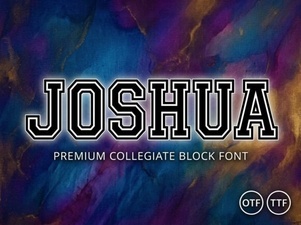 Joshua Font: Creative Design & Download Guide
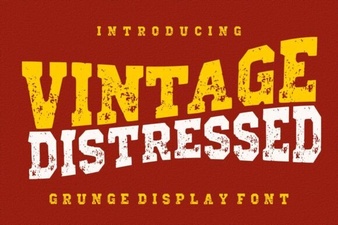 Vintage Fonts for Your Creative Projects
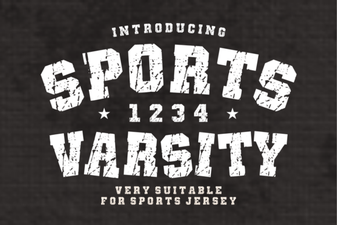 Varsity Font Ideas for Sports Branding
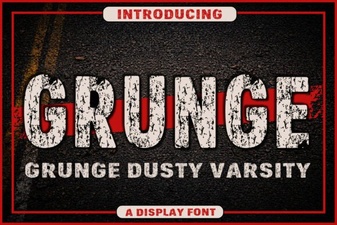 Craft Grunge Varsity Fonts for Authentic Designs
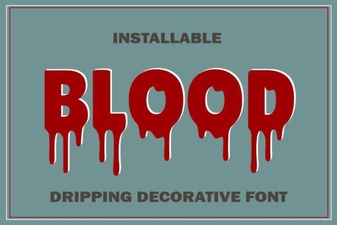 Blood Drip Fonts for Bold Digital Design Projects
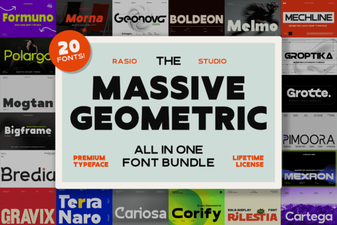 Boost Your Designs with Geometric Font Bundles